Repair of Evoca 266124 Mainboard: Artico, Festival, Tango, Brio, Soprano, Swing, Twist, Vivace, Melodia, Barista, Gusto Fast and effective repair of the mainboard (CPU) in popular Necta vending machines.
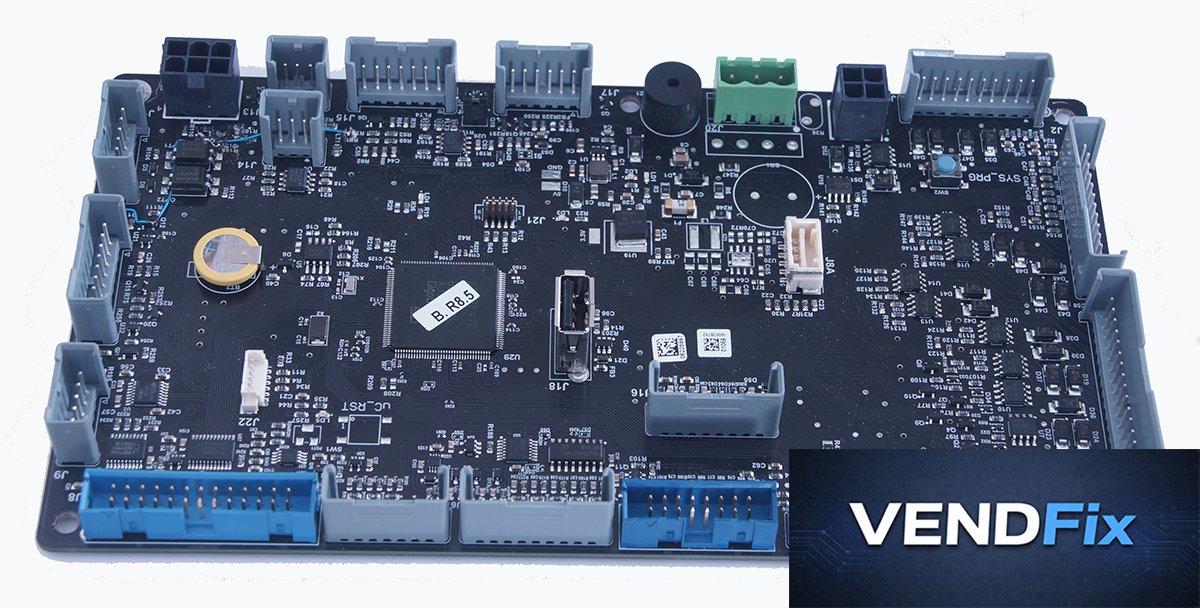
Photo of Evoca 266124 CPU board
The Evoca mainboard with catalog number 266124 is a modern-generation control board used in a wide range of Necta vending machines.
Necta vending machine models where this board is found Artico S / Artico L Festival / Festival Classic Tango Brio Key Lavazza Soprano Swing Twist Vivace Melodia Barista 300 Gusto 6C / Gusto 8C / Gusto Drum Most common faults of the Evoca 266124 mainboard The board does not start at all (no LEDs, no reaction after power-on) Detects incorrect number of shelves or fails to control them properly Spins multiple spirals at once when dispensing a product Does not detect the selected shelf / column No communication over MDB bus (machine does not respond to coin mech or payment terminal) How to diagnose the Evoca 266124 mainboard Check the power supply voltage at the board input (green connector) – it should be 24V DC, and LEDs LD1, LD2, LD3 should be lit. Check if LED LD4 is blinking – if not, this indicates a board failure. Pay attention to whether the board detects the correct number of shelves / spirals at startup. If not – the board is likely faulty and there is a short circuit somewhere in the wiring harness to the shelves: Inspect the wiring harnesses for abrasion. Often wires get caught in shelf guides and suffer mechanical damage. Check if the motor pins driving the spirals are touching the metal back wall of the machine and ensure they are properly insulated.
IMPORTANT: This check is critical! Customers often send us boards without fixing the root cause in damaged wiring, leading to repeat failure (not covered by warranty). If the board starts – enter service mode, run spiral and dispense tests. The spiral motor should respond to on/off commands, and spirals should turn individually during dispensing. If there is no communication with the coin mech – check payment system settings. If incorrect – most likely a dead backup battery; the machine starts with default settings. Measure battery voltage: a new battery shows 3V, it should not drop below 2V – replace if lower. Note: if you lack proper soldering equipment or experience – you risk damaging the board. We can do this for you. If settings are correct and you have a payment system – check the MDB/Executive jumper settings. If correct – disconnect the payment system and connect the coin mech directly to the board connector – if the board still shows “no change” – the fault is in the board. Price and lead time Price : 93 EUR net ...