Repair of Necta Main Board 6735/536/02 - Sfera, Snakky, Rondo, Astro, Kikko Fast and effective repair of the main CPU board in popular Necta vending machines.
The Necta main board with catalog number 6735/536/02 (also referred to as 6735-536-02) is the core control board used in a wide range of compact and medium-sized Necta models.
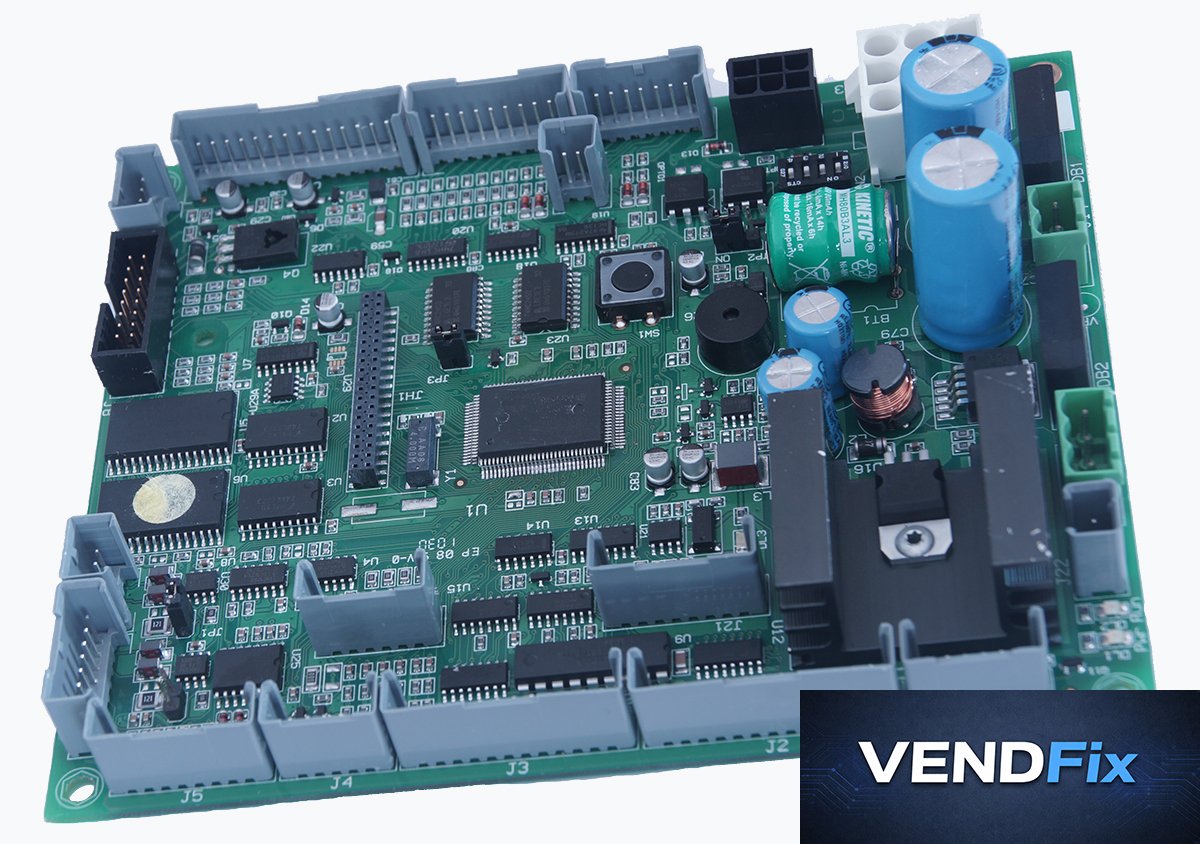
Photo of the Necta main board 6735/536/02
Necta machine models where this board is commonly found Sfera Snakky / Snakky Max / Snakky SL / Mini Snakky Rondo Astro Kikko / Kikko Max / Kikko RY Oblo Brio 3 Kobalto Konvivio Most common faults of Necta main board 6735/536/02 The board does not start at all (no LEDs on, no response after powering on) Incorrect detection of shelf quantity or improper shelf control Multiple motors start simultaneously when dispensing a product Display not working (black screen or #### characters) Freezes during photocell test Does not detect the selected shelf/column No communication with coin mech (machine does not respond to coin mech or payment terminal) How to diagnose Necta main board 6735/536/02 Check the input power supply - it should be stable 24V AC, and the orange LED “PWR” on the board should light up. Check whether the green LED “RUN” on the board is blinking. No blinking (or constant/solid “RST” red LED) usually indicates a board failure. If the board starts but freezes during the photocell test → the board is faulty. Pay attention to whether the board correctly detects the number of shelves/springs at startup. If not → the board is likely damaged, and there is a short circuit somewhere in the wiring harness to the shelves: Check if any wiring harnesses are worn or damaged (often they get caught in the shelf guides) Check if the motor pins for the springs are not touching the metal rear wall of the machine and are properly insulated
NOTE: This check is extremely important! From our experience, it happens customers send us damaged boards without fixing the short circuit within the machine, and the board fails again shortly after repair (not covered by warranty). If the board starts → go to the service menu and run compressor and product dispensing tests. The compressor should respond to on/off commands, and each spring should rotate individually when dispensing. If there is no communication with the coin validator → check the payment system settings. If incorrect → the backup battery is likely dead and the machine boots with default settings. If settings are correct and you have a payment system → check the MDB/Executive switch jumper settings. If correct → disconnect the payment system and connect the coin validator directly to the board connector - if the board still shows “no change” → the board is faulty. Price and turnaround time Price : 93 EUR net ...